
リファレンスガイド
リファレンスガイド
Section titled “リファレンスガイド”cardano-upはCardanoサービスを管理するためのコマンドラインユーティリティです。cardano-upを使用すると、Dockerイメージを利用してCardanoサービスをインストールできます。
このガイドでは、cardano-upの仕組み、パッケージの管理、使用できるコマンドについてさらに詳しく説明します。
クイックリンク:
Section titled “クイックリンク:”コマンドリファレンス | 一般的なcardano-upコマンド | コンテキスト
コマンドリファレンス
Section titled “コマンドリファレンス”cardano-upコマンドは複数のサブコマンドで構成されています。引数なしでcardano-upを実行するか、--helpオプションを使用すると、すべてのサブコマンドを一覧表示できます。
$ cardano-upUsage:  cardano-up [command]
Available Commands:  completion     Generate the autocompletion script for the specified shell  context        Manage the current context  down           Stops all Docker containers  help           Help about any command  info           Show info for an installed package  install        Install package  list           List installed packages  list-available List available packages  logs           Show logs for an installed package  uninstall      Uninstall package  up             Starts all Docker containers  update         Update the package registry cache  upgrade        Upgrade package  validate       Validate package file(s) in the given directory  version        Displays the version
Flags:  -D, --debug   enable debug logging  -h, --help    help for cardano-up  -v, --verbose Show all available versions of packages
Use "cardano-up [command] --help" for more information about a command.
一般的なcardano-upコマンド:
Section titled “一般的なcardano-upコマンド:”利用可能なパッケージを一覧表示
Section titled “利用可能なパッケージを一覧表示”cardano-upでインストールできる利用可能なパッケージ、つまりCardanoサービスを確認するには、以下のコマンドを実行します:
cardano-up list-available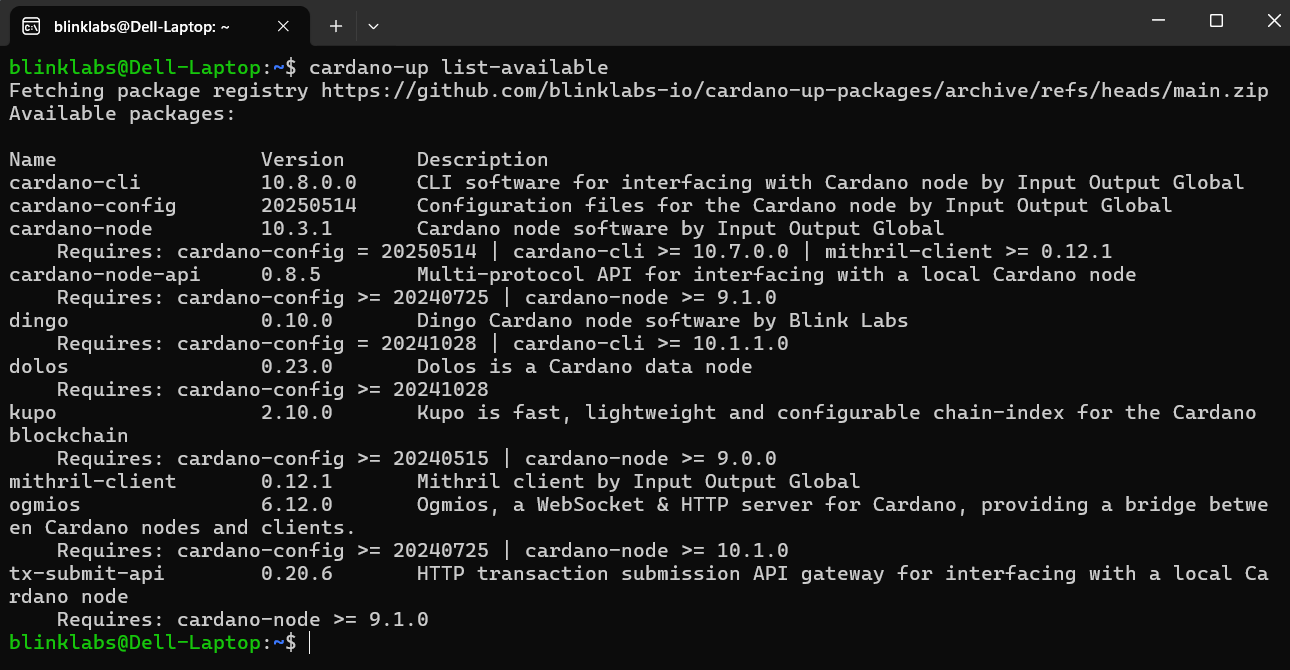
パッケージのインストール
Section titled “パッケージのインストール”パッケージをインストールして操作するには、インストールされたコマンド/スクリプトをすぐに利用できるようにするため、シェルのRC/プロファイルに以下を追加して
~/.local/binを$PATHに追加する必要があります。
パッケージをインストールするには、cardano-up install (パッケージ名)を実行します。この例ではcardano-nodeをインストールします。
cardano-up install cardano-nodeパッケージのアンインストール
Section titled “パッケージのアンインストール”パッケージをアンインストールするには、cardano-up uninstall (パッケージ名)を実行します。この例ではcardano-nodeをアンインストールします。
cardano-up uninstall cardano-nodeアクティブなコンテキスト内のパッケージの実行中のサービスをすべて停止します。
コマンドとサブコマンドの使用方法を表示します。
インストールされたパッケージの情報を表示します。名前、バージョン、コンテキスト名、インストール後のノートなどが含まれます。
アクティブなコンテキスト内のインストール済みパッケージを一覧表示します。-Aオプションですべてのコンテキストを表示できます。
アクティブなコンテキスト内の指定されたパッケージの実行中サービスのログを表示します。
アクティブなコンテキスト内のパッケージのすべてのサービスを開始します。
update
Section titled “update”パッケージレジストリキャッシュを強制的に更新します。
upgrade
Section titled “upgrade”指定されたパッケージをアップグレードします。
validate
Section titled “validate”指定されたパスで定義されたパッケージを検証します。
version
Section titled “version”バージョンを表示します。
コンテキスト
Section titled “コンテキスト”コンテキストは、異なるネットワーク設定で同じパッケージの複数のコピーを並行してインストールすることを可能にします。これにより、同じマシン上でpreprodとmainnetのCardanoノードを実行したり、異なるバージョンのノードを実行する複数のpreview Cardanoノードインスタンスを持つことができます。
install、uninstall、listなどのコマンドはアクティブなコンテキストで動作します。contextコマンドを使用して、アクティブなコンテキストを変更したり、利用可能なコンテキストを管理できます。
contextサブコマンドはコンテキストを管理します。さまざまなコンテキスト関連の機能のための独自のサブコマンドがあります。
context create
Section titled “context create”指定された名前で新しいコンテキストを作成します。オプションで説明とCardanoネットワークを指定できます。-nフラグでCardanoネットワークを指定し、-dフラグで説明を付けます。
この例では、新しいコンテキストをdevという名前で作成し、ネットワークをpreviewに設定し、説明をpreview testとします。
cardano-up context create dev -n preview -d 'preview test'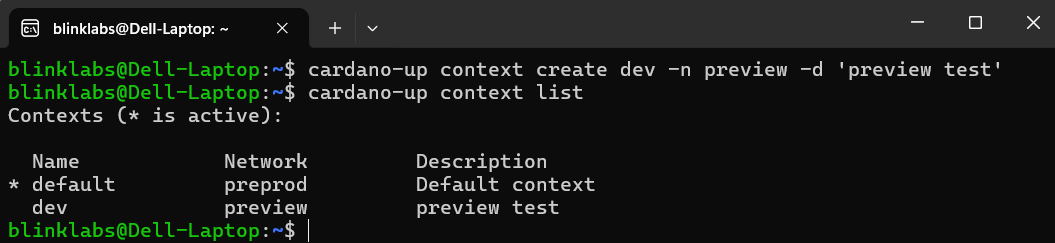
context delete
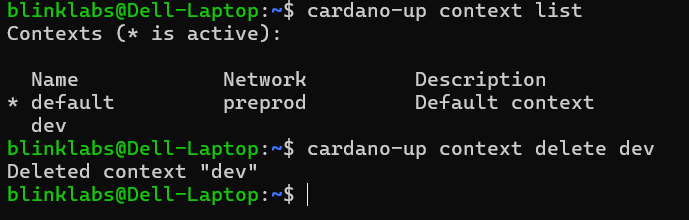
Section titled “context delete”指定された名前のコンテキストが存在する場合、削除します。
cardano-up context delete contextNameこの例では、コンテキストをdevという名前にしています。
context env
Section titled “context env”アクティブなコンテキストの環境変数を出力します。
cardano-up context env
context list
Section titled “context list”利用可能なコンテキストを一覧表示します。
cardano-up context list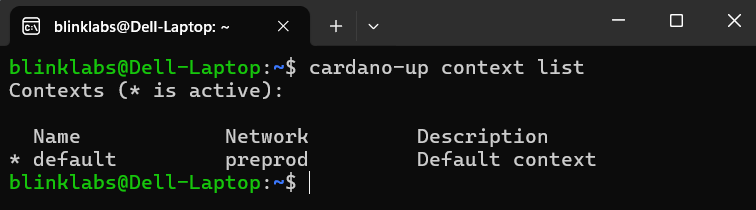
context select
Section titled “context select”アクティブなコンテキストを指定されたコンテキスト名に設定します。この例ではdevコンテキストを選択します。
cardano-up context select dev